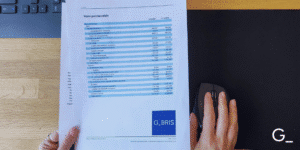
[EXAMPLE]
AI Document Translation on GBRIS: A Step-by-Step Guide

Why You Need It
Official company documents are issued in the language of the country where the company is registered. A German Handelsregister extract arrives in German. A Spanish registry filing comes in Spanish. The document is official and accurate, but if nobody on your team reads that language, it creates an extra step before the information can actually be used.
Sending documents to a translation service takes time and adds cost. Waiting for a translated version delays due diligence, onboarding, or contract decisions.
GBRIS solves this in the same step as ordering the document. When a document supports AI translation, you can request it at the same time, and receive both the original and a translated PDF together.
Supported Documents and Countries
AI translation is currently available for the following documents:
Germany
Incorporation documents
- Full official extract from the business registry (current information)
- Full official extract from the business registry (chronological extract)
Financial statements
- Annual report with financial statements
Spain
Incorporation documents
- Full official extract from the business registry
Translated output is available in: English, German, Spanish, French, Italian.
More document types and countries will be added over time. If a document supports translation, the option appears automatically. If not, no checkbox is shown, which simply means that document or country is not yet supported.
How to Add a Translation to Your Order
Step 1
Open a company profile and find the document
Search for the company on gbris.com. On the company profile page, scroll down to the Available Documentation section. Documents are grouped by type: incorporation documents, financial statements, and others depending on the country and registry.

Each document shows its source language, format (PDF), and price.
Step 2
Check the AI translation checkbox
If AI translation is available for a document, a checkbox labelled AI translation.pdf appears directly beneath it. Check the box to include the translation in your order. The translation costs an additional fee, shown next to the checkbox.

If no checkbox is shown, translation is not yet supported for that document or country.
Step 3
Select the target language
The selected translation language is displayed next to the checkbox. Click on it to open a dropdown with all available languages and select the language you want the translation delivered in.
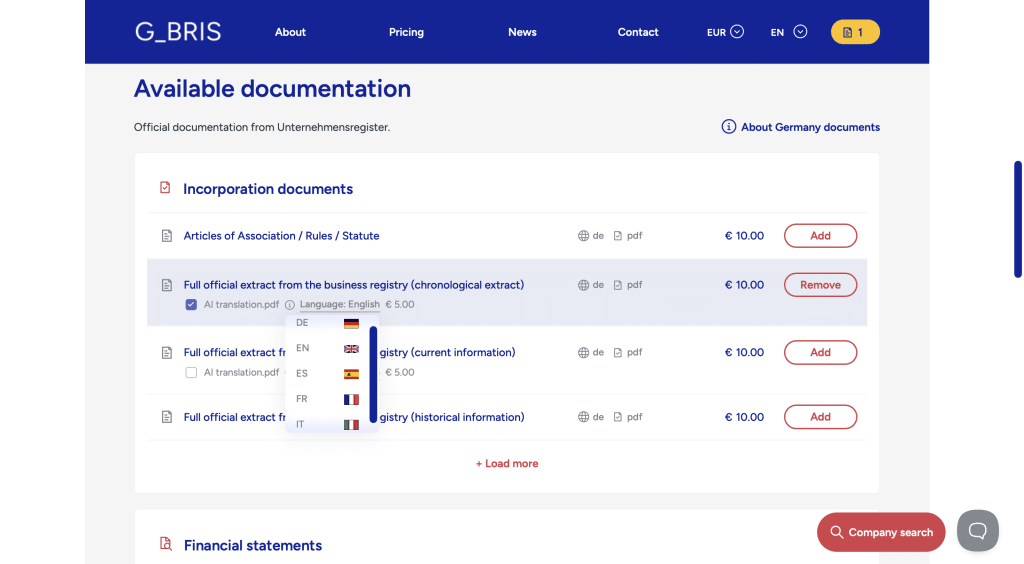
Available languages: English (EN), German (DE), Spanish (ES), French (FR), Italian (IT).
Step 4
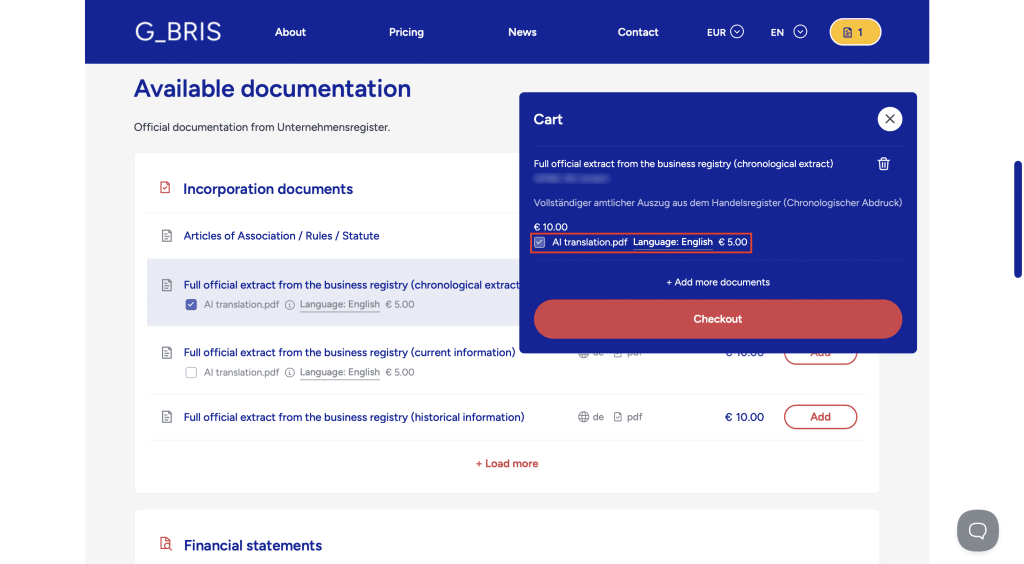
Review in the cart preview
Click the cart icon in the top right corner to see what is currently in your cart. The cart preview shows each document and whether the translation add-on is included. You can also enable or adjust the translation option from here, without going to the full checkout page.
Step 5
Confirm at checkout
Proceed to checkout. On the checkout page, the Order Summary lists each document in your cart. Below every supported document you will see an “AI translation.pdf” checkbox with the target language and the €5.00 price shown next to it. If you did not enable translation on the company page, you can still check the box here. If you already enabled it, it will appear checked. Once everything looks correct, fill in your name and email address and complete the order.
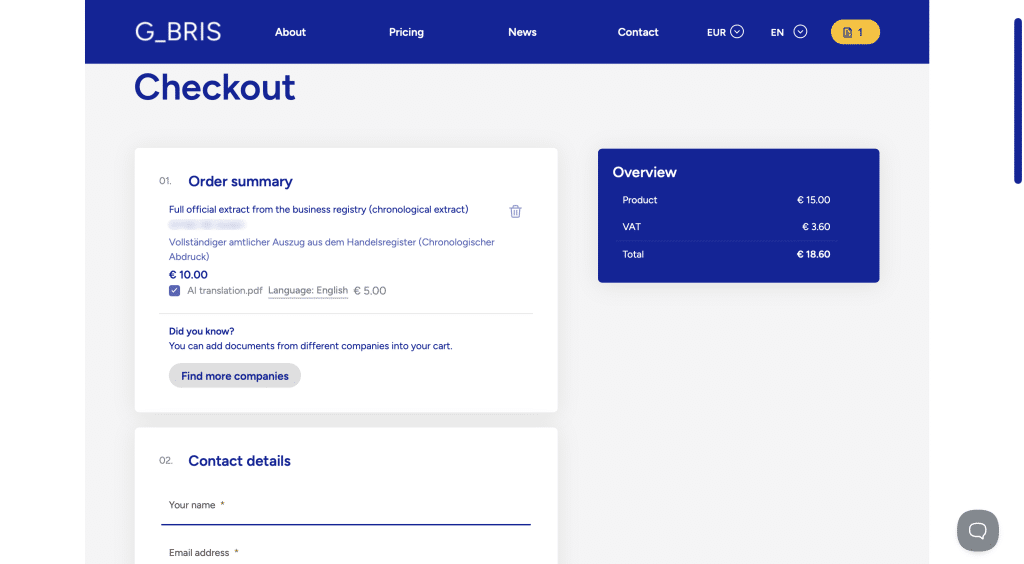
You can add documents from multiple companies to the same cart before checking out. Use the Find more companies button at the bottom of the order summary.
What You Receive
After the order is processed, you receive two files delivered to the email address you provided:
- The original document – the official filing in its source language
- The translated PDF – in the language you selected
Pricing
The translation price is shown next to the checkbox when you add the document and may vary based on the country, language, and document type. VAT is applied to the full order total. VAT is applied to the full order total.
Example: a German registry extract at €10.00 + AI translation at €5.00 = €15.00 before VAT.